Product / Statements and balances
Every cedi accounted for, line by line.
Your balance is added up from a double-entry ledger, never stored as a loose number. Download your statement any time and see what happened to every payment.

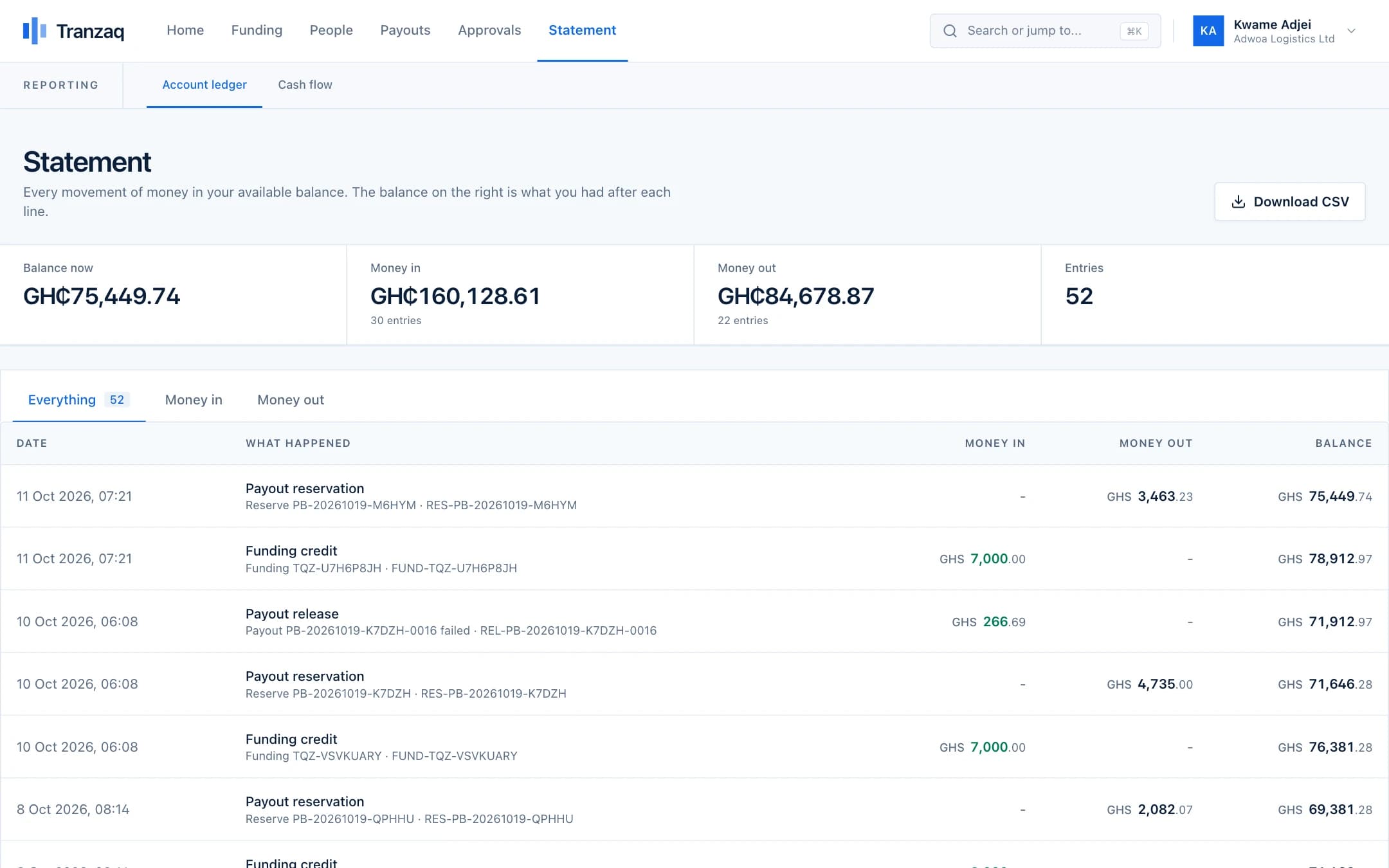
What you get
Statements and balances, done properly.
Available, reserved and pending
See what you can pay out now, what is locked in approved batches, and what is on its way.
A running balance
Every line shows what was left after it, so the statement can be checked line by line.
Failed payments come back
When a payment fails, the money is released to your available balance, and the statement says so.
Download as CSV
Open it in Excel, hand it to your accountant, or keep it for your records.
How it works
Three steps.
- 1
Money moves
Funding, reservations, payments, fees and refunds each create a balanced entry.
- 2
Balances follow
Your balances are always worked out from those entries.
- 3
Check any time
Open the statement or download it.
Good to know
- Ledger entries are never edited or deleted
- Corrections are made by new entries that two staff members approve
- Fees are shown before you submit a batch
Get started
Pay your people with confidence.
Create your business account and try everything in test mode today.