Product / Team and roles
The right access for everyone.
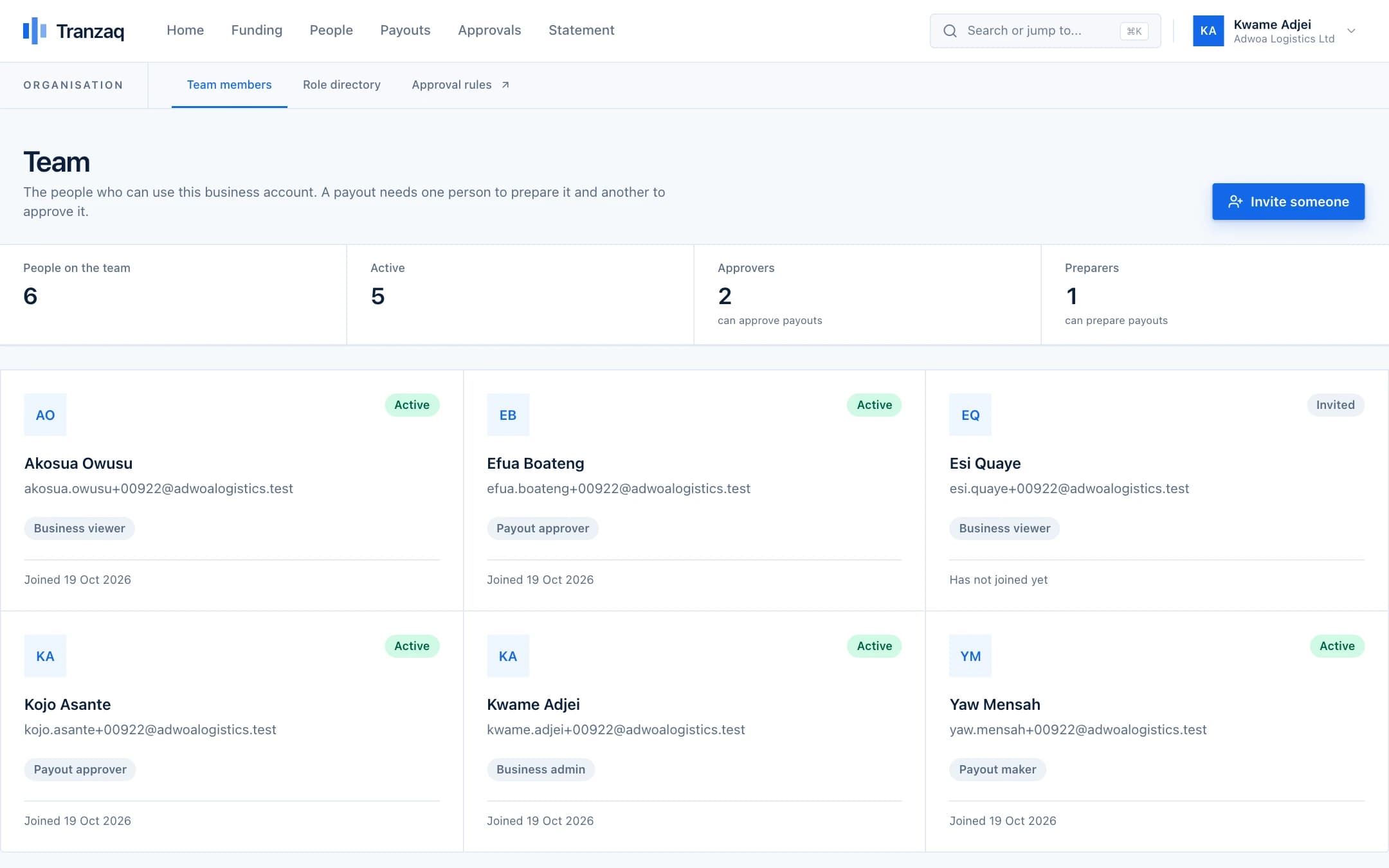
Invite your colleagues and give each a role: administrator, payout maker, payout approver or viewer. People only see and do what their role allows.

What you get
Team and roles, done properly.
Four clear roles
Administrators run the account. Makers prepare payouts. Approvers decide. Viewers can look but not change anything.
Invitations by email
Each person chooses their own password with a one-time code. We never see it.
Two-step sign-in
People turn on an authenticator app. Approvers can be required to use it.
Everything is logged
Who invited whom, who approved what, and when, all in an audit log.
How it works
Three steps.
- 1
Invite someone
Enter their name, email and role.
- 2
They set a password
A one-time code arrives by email.
- 3
They get to work
Their menu shows only what they can use.
Good to know
- Sessions can be ended at once when someone leaves
- Passwords are stored as hashes, never in plain text
- Too many wrong passwords lock the account for a while
Get started
Pay your people with confidence.
Create your business account and try everything in test mode today.